




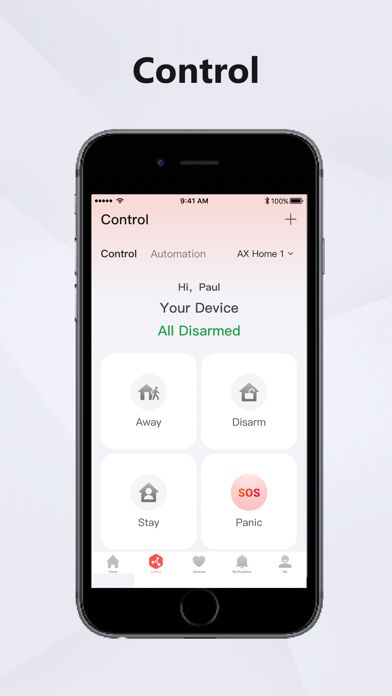


Hik-Connect – for End user is a mobile security and surveillance application designed by Hangzhou Hikvision Digital Technology Co., Ltd. for users who want convenient access to compatible Hikvision security devices from an iPhone or iPad. The application works with supported DVRs, NVRs, IP cameras, video intercom products, security control panels, and other compatible devices.
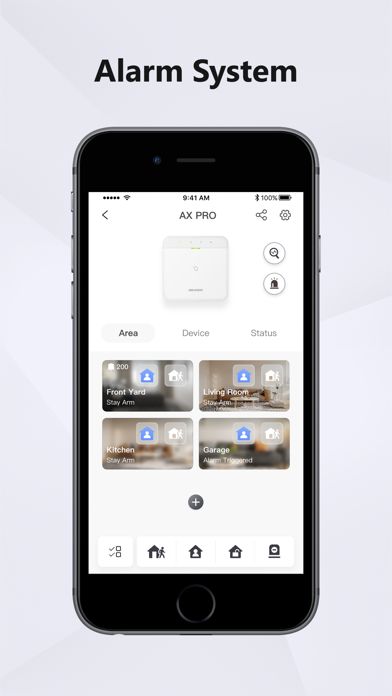
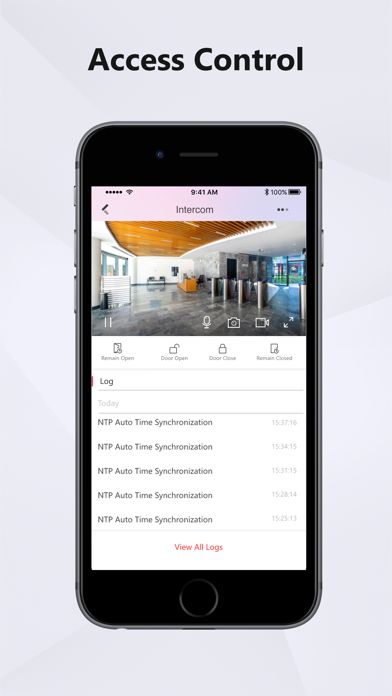
With Hik-Connect, users can remotely view live camera feeds, play previously recorded footage, receive alarm notifications, and manage supported security equipment. Hikvision also describes the platform as providing tools for video security, intrusion alarms, video intercom, access control, and related security management.
Hik-Connect – for End user Features and Functions
Real-Time Camera Monitoring
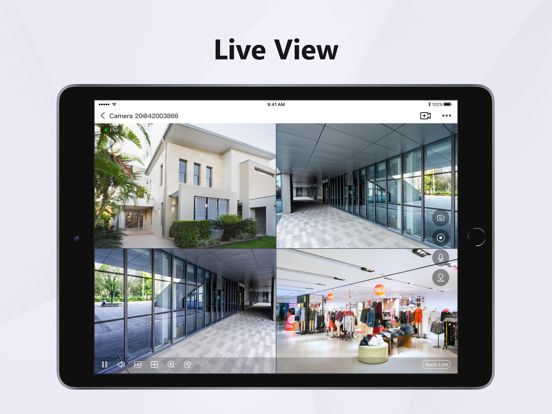
One of the main functions of Hik-Connect is remote live viewing. After a compatible Hikvision device has been added, users can open the application and view their cameras from supported mobile devices. This makes it possible to check a home, office, shop, or other monitored location without being physically present.
The app supports different live-view layouts depending on the connected equipment and configuration. Hikvision documentation lists single-camera and multiple-window viewing options, including 1-, 4-, 9-, 12-, and 16-division layouts for supported configurations.
Video Playback
Hik-Connect is not limited to live monitoring. Users can also access recorded video from compatible devices and search previous footage when they need to review an event.
This can be useful when checking activity that happened earlier, investigating an alert, or reviewing a specific period recorded by a security camera. Playback capabilities can vary depending on the connected Hikvision device and its recording configuration.
Motion Detection Notifications
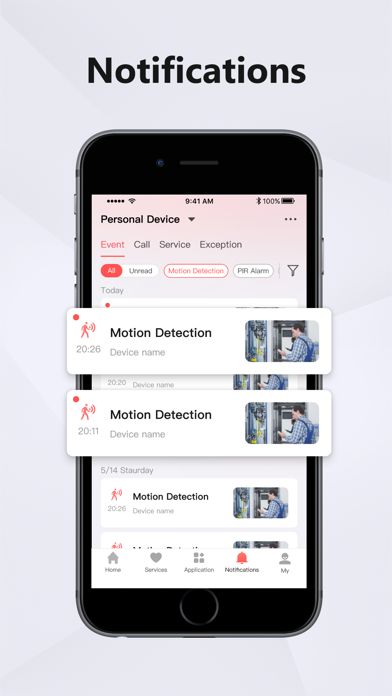
The application can send notifications when supported devices detect motion or trigger configured alarms. This gives users a way to receive information about security events while away from the monitored location.
The App Store specifically lists motion-detection alarm notifications among Hik-Connect’s core features.
Device Management
Hik-Connect allows users to add and organize compatible Hikvision equipment through the mobile application. Supported devices can be connected through Hik-Connect services, while Hikvision documentation also describes adding devices through QR codes, IP/domain information, and Hik-Connect domains.
Two-Way Audio
For compatible cameras and devices, Hik-Connect supports two-way audio communication. This allows users to listen to audio from supported equipment and communicate through the device when the hardware provides the necessary microphone and speaker functions.
This can be useful for compatible doorbells, intercom systems, and cameras with audio capabilities.
PTZ Camera Control
Supported PTZ cameras can be controlled through the application. PTZ stands for Pan, Tilt, and Zoom, allowing users to adjust the camera’s viewing direction and zoom level remotely.
Hikvision’s documentation also lists PTZ control and digital zoom among supported Hik-Connect capabilities.
Multiple Device Support
Hik-Connect can be used to manage multiple compatible security devices from one account. This is useful for users who have several cameras, recorders, or other Hikvision equipment installed at a property.
The platform can also support device-sharing functionality, allowing supported devices to be shared with other users according to configured permissions.
Security and Access Management
Hik-Connect provides account and device-management functions intended to help users control access to their connected security systems. Hikvision’s current platform information also describes permission-based collaboration with installers or service providers.
How to Use Hik-Connect on iPhone and iPad
Create or Sign In to Your Account
Start by installing Hik-Connect from the Apple App Store and launch the application. New users can register an account, while existing users can sign in with their Hik-Connect credentials.
Hikvision states that registration can be completed through the application or its web service using supported phone-number or email-based registration methods.
Add Your Hikvision Device
After signing in, add your compatible security equipment to the application. Depending on the device and setup, Hik-Connect supports methods such as scanning a QR code or entering device/network information.
Your Hikvision device must support the relevant Hik-Connect functionality and may require the service to be enabled in its settings. Hikvision notes that required menus can differ according to product model and firmware version.
Start Monitoring
Once your device has been added successfully, open it from the device list and select live view to monitor connected cameras. You can switch between available cameras and use supported controls such as playback, audio, zoom, or PTZ controls.
For reliable remote access, your Hikvision equipment and network connection should be correctly configured.
Who Should Use Hik-Connect?
Home Security Users
Hik-Connect can be useful for homeowners who have compatible Hikvision cameras or recorders and want to check their property remotely. Live monitoring and event notifications provide convenient access to connected surveillance equipment.
Shops and Small Businesses
Small businesses can use the application to check cameras and review recorded footage while away from the premises. Multiple-device support can be particularly useful where several cameras or recording systems are installed.
Offices and Property Managers
People responsible for offices, buildings, or other monitored locations can use Hik-Connect to access supported security equipment remotely. The exact management capabilities depend on the connected hardware, permissions, and configuration.
How to Download and Install Hik-Connect on iPhone and iPad
Install from the Apple App Store
The safest way to install Hik-Connect on iPhone or iPad is through the official Apple App Store. The current App Store listing identifies the developer as Hangzhou Hikvision Digital Technology Co., Ltd., lists the app as free, and provides iPhone and iPad compatibility.
To install it:
- Open the App Store on your iPhone or iPad.
- Search for Hik-Connect – for End user.
- Verify that the developer is Hangzhou Hikvision Digital Technology Co., Ltd.
- Tap Get.
- Authenticate with Face ID, Touch ID, or your Apple ID password if requested.
- Wait for the installation to finish.
- Open Hik-Connect and sign in or create an account.
- Add your compatible Hikvision device.
Avoid downloading IPA files from unknown websites, particularly for a security application that handles access to cameras and surveillance equipment.
Is Hik-Connect Supported on the Latest iOS Versions?
Yes. The current App Store listing states that Hik-Connect requires iOS 15.1 or later on iPhone and iPadOS 15.1 or later on iPad. It also lists compatibility with Macs containing an Apple M1 chip or later and Apple Vision devices under their respective requirements.
Because Apple and Hikvision can release software updates independently, users should check the current App Store compatibility information before installing or updating the application.
Hik-Connect IPA Frequently Asked Questions
Is Hik-Connect free on iPhone?
The official App Store listing currently shows Hik-Connect as a free application. However, some Hikvision products or cloud-related services may have separate requirements or value-added services.
Can I view Hikvision cameras remotely with Hik-Connect?
Yes, compatible Hikvision cameras and recording devices can be viewed remotely through the application when the device and network have been properly configured.
Can Hik-Connect play recorded CCTV footage?
Yes. Video playback is one of the application’s core functions, allowing users to review recordings from compatible devices.
Does Hik-Connect support motion alerts?
Yes. Hik-Connect can provide notifications for supported motion-detection and alarm events configured on compatible security equipment.
Can I add a Hikvision device without a Hik-Connect account?
Hikvision states that the app supports direct IP-connected devices and that an account is not required for that particular connection method. However, direct remote access can require appropriate network configuration and port forwarding.
Does Hik-Connect support iPad?
Yes. The App Store currently lists Hik-Connect as designed for iPad and requires iPadOS 15.1 or later.
Is there a Premium or MOD version of Hik-Connect?
The title of this post does not contain “Premium” or “MOD,” and the official App Store listing presents Hik-Connect as a free application. Users should be cautious with unofficial modified IPA files because security applications require trusted software and legitimate device access.
Conclusion
Hik-Connect – for End user provides iPhone and iPad users with a convenient way to interact with compatible Hikvision security equipment. Its main functions include real-time monitoring, recorded-video playback, motion and alarm notifications, device management, two-way audio, and supported camera controls.
For users with compatible Hikvision DVRs, NVRs, IP cameras, intercoms, or other supported security equipment, the application can bring important monitoring functions to a mobile device. The current App Store version requires iOS 15.1 or later, so users should keep both their Apple device and Hik-Connect application updated for the best compatibility.