



Discord is one of the world’s most popular communication platforms, allowing millions of users to chat, make voice and video calls, join communities, and collaborate in real time. Originally created for gamers, Discord has grown into a versatile app used by students, creators, businesses, hobby groups, and online communities. Whether you want to stay connected with friends, organize projects, or join communities based on your interests, Discord provides a fast and reliable communication experience on iPhone and iPad.
With an intuitive interface, high-quality voice channels, and powerful community management tools, Discord makes online communication simple and enjoyable. The iOS version offers almost every feature available on desktop while remaining optimized for mobile devices.
Description
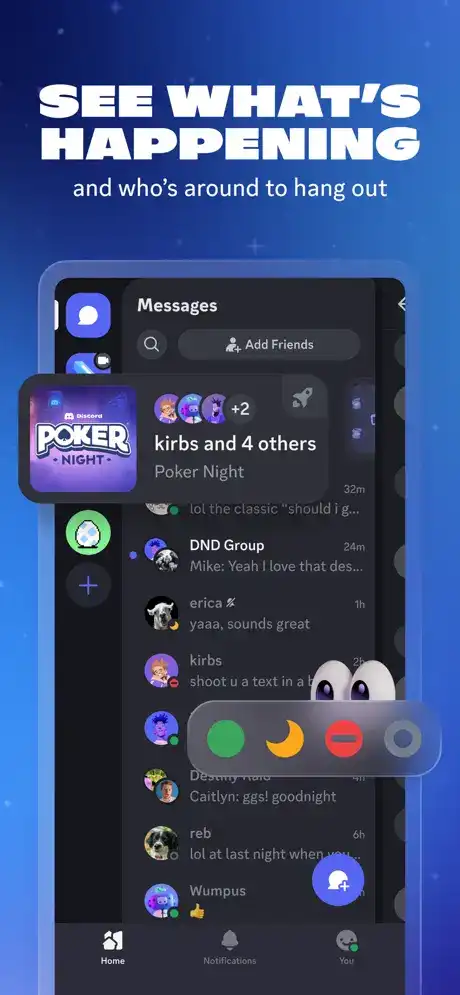
Discord combines text messaging, voice chat, video calls, and community servers into one easy-to-use application. Users can create private servers, join public communities, send direct messages, share files, stream games, and participate in voice discussions from anywhere.
The app supports thousands of communities covering gaming, technology, education, entertainment, music, programming, sports, and many other interests. With cloud synchronization, your conversations remain available across all supported devices.
Features
High-Quality Voice Calls
Discord delivers clear and stable voice communication for private conversations, gaming sessions, meetings, and community discussions. Voice channels let users join or leave conversations instantly.
HD Video Chat
Users can enjoy face-to-face conversations with friends, family members, classmates, or coworkers. Video quality automatically adjusts based on network conditions for smoother performance.
Instant Text Messaging
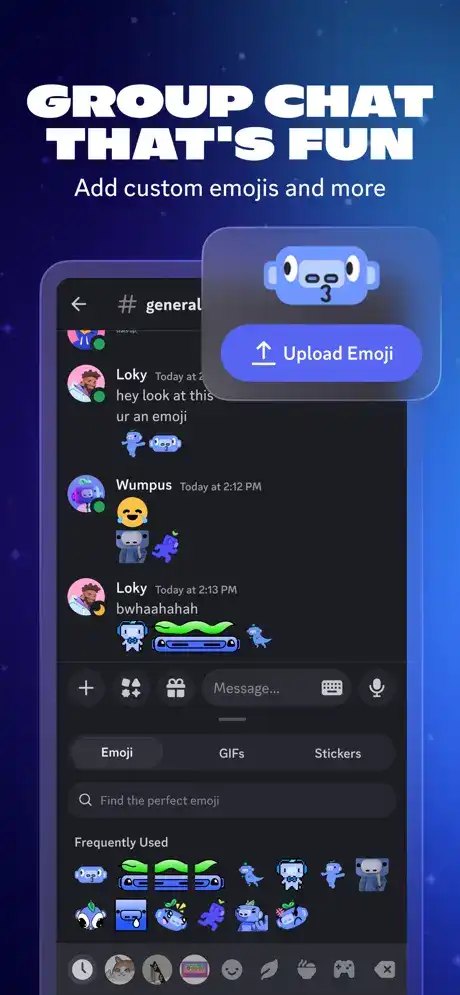
Send messages in real time using private chats or server channels. Rich formatting, emojis, GIFs, stickers, and reactions make conversations more engaging.
Community Servers
Create your own server or join existing communities. Organize conversations into channels dedicated to different topics for better communication.
Voice Channels
Voice channels allow members to join ongoing conversations without needing to start individual calls, making group communication effortless.
Screen Sharing
Share your screen during meetings, online classes, gaming sessions, or troubleshooting to collaborate more effectively.
File Sharing
Upload images, videos, documents, PDFs, and other files directly within conversations for quick collaboration.
Cross-Platform Synchronization
Continue conversations seamlessly between iPhone, iPad, desktop, and web versions without losing chat history.
Push Notifications
Receive notifications for messages, mentions, friend requests, and important server updates so you never miss important conversations.
Server Roles and Permissions
Server owners can assign roles, manage permissions, organize moderators, and control member access for secure community management.
Functions
Discord offers many useful functions, including:
- Text messaging
- Voice calling
- Video calling
- Screen sharing
- File sharing
- Community servers
- Direct messaging
- Voice channels
- Event scheduling
- Push notifications
- Friend management
- Emoji and sticker support
- GIF sharing
- Search conversations
- Media sharing
- User blocking and reporting
- Multi-device synchronization
How to Use
Create or Sign In to Your Account
Download Discord from the App Store, create a free account, or log in using your existing credentials.
Join or Create a Server
Search for communities that match your interests or create your own server for friends, gaming groups, or work teams.
Start Chatting
Send direct messages, join text channels, or participate in voice channels with other members.
Customize Notifications
Adjust notification settings for individual servers and channels to receive only the alerts you want.
Participate in Voice and Video Calls
Tap the voice or video call button to communicate instantly with friends or community members.
Who Should Use Discord?
Discord is suitable for many different users, including:
- Gamers
- Students
- Teachers
- Online communities
- Businesses
- Developers
- Content creators
- Streamers
- Friends and families
- Study groups
- Hobby clubs
- Remote work teams
How to Install on iPhone and iPad
Installing Discord on iOS is quick and simple.
- Open the App Store on your iPhone or iPad.
- Search for “Discord.”
- Tap the Get button.
- Wait for the installation to complete.
- Open the app.
- Sign in or create a new account.
- Start joining servers and chatting with friends.
Is It Supported on the Latest iOS Versions?
Yes. The official Discord app is regularly updated to support current iOS releases. Compatibility depends on the version available in the App Store and your device’s supported iOS version. Keeping both iOS and the app updated helps ensure the best performance, security, and access to the latest features.
Frequently Asked Questions
Is Discord free on iPhone?
Yes. Discord is free to download and use, with optional Nitro subscriptions that provide additional cosmetic and convenience features.
Can I make voice and video calls?
Yes. Discord supports both high-quality voice calls and video calls.
Can I join multiple servers?
Yes. You can join many different servers and communities using one account.
Does Discord work on iPad?
Yes. Discord is fully compatible with supported iPad models.
Is Discord safe to use?
Discord includes privacy settings, moderation tools, reporting features, and account security options to help users manage their experience.
Can I share files on Discord?
Yes. Users can upload images, videos, documents, and other supported file types directly in chats and servers.
Conclusion
Discord has become one of the leading communication platforms for online communities, gaming groups, students, professionals, and creators. Its combination of text messaging, voice channels, video calling, file sharing, and community management tools makes it an excellent all-in-one communication app for iPhone and iPad users. Whether you’re collaborating on a project, chatting with friends, or joining communities that match your interests, Discord offers a reliable and feature-rich experience across supported iOS devices.