


Gboard is Google’s popular keyboard app designed to make typing faster, smarter, and more convenient on iPhone and iPad. It combines traditional keyboard features with Google Search, GIFs, emojis, multilingual typing, voice input, translation, and predictive suggestions. The official App Store version is published by Google and is categorized under Utilities.
A “Gboard iOS MOD IPA” generally refers to an unofficially modified IPA package. Because modified IPA files can come from third-party sources, their features, security, compatibility, and reliability can differ from the official Gboard release. For the safest experience, users should prefer the official App Store version whenever possible.
Gboard iOS Functions and Features
Fast and Accurate Typing
Gboard is designed to make everyday typing quicker through word suggestions, autocorrection, and predictive text. As you type, suggested words appear above the keyboard, allowing you to select the correct word without entering every character manually.
Glide Typing
Glide Typing lets you slide your finger from one letter to another instead of tapping every key individually. This can be particularly useful when writing longer messages or responding quickly on a small iPhone screen.
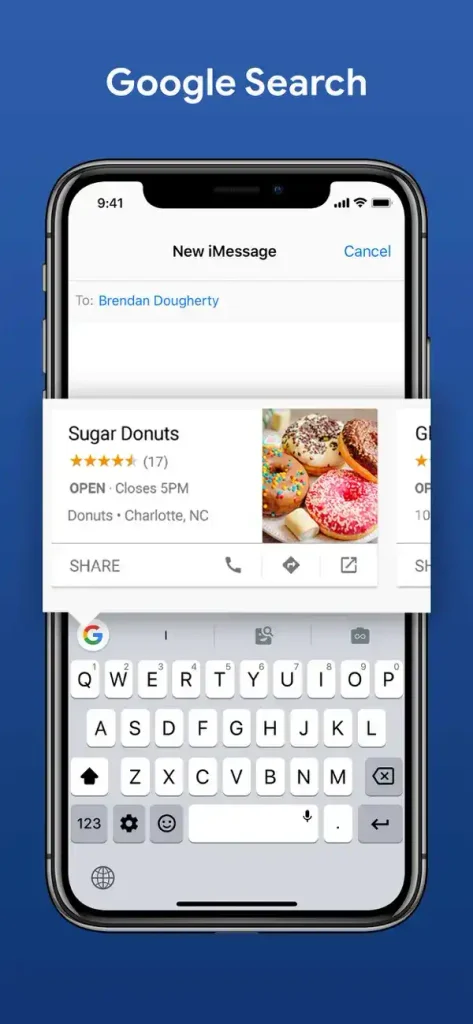
Google Search From the Keyboard
One of Gboard’s most recognizable features is integrated Google Search. You can search for information directly from the keyboard and share results without repeatedly switching between your browser and messaging application. Google says users can search for things such as restaurants, videos, images, weather, news, and other information.
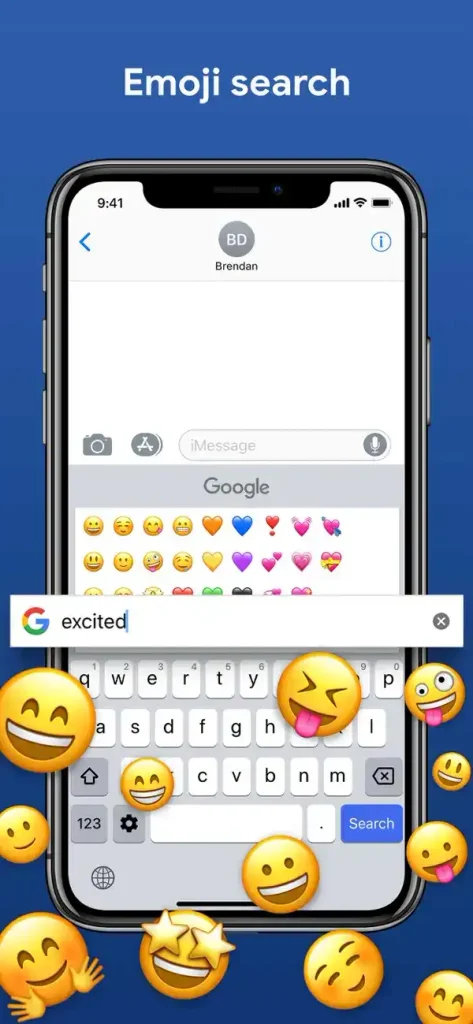
Emoji Search
Gboard includes emoji search, making it easier to find a specific emoji. Instead of scrolling through multiple emoji categories, you can search for the expression or object you need.
GIF Search
The built-in GIF functionality allows users to search for animated GIFs and use them in supported conversations. This makes the keyboard useful for casual conversations where reactions and animated content are common.
Stickers
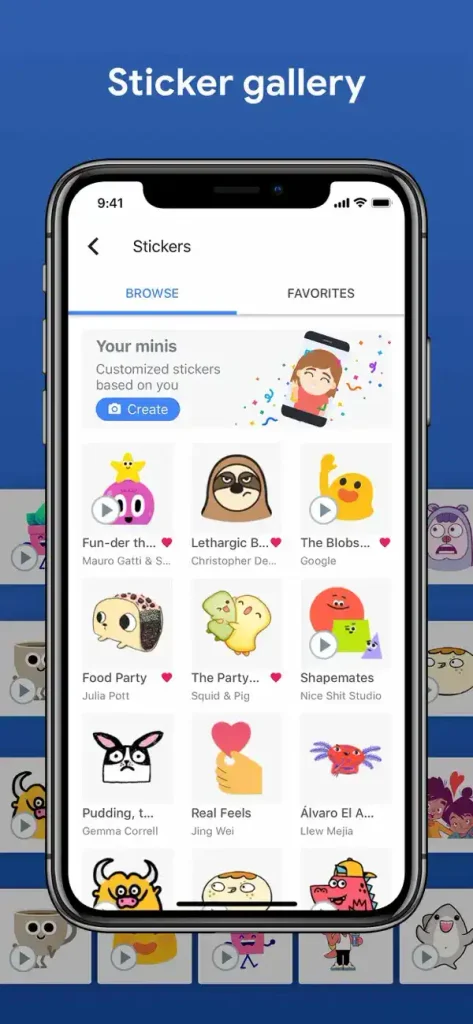
Gboard also supports stickers, giving users another way to express reactions without writing a complete message.
Voice Typing
Voice typing allows you to speak instead of manually entering text. Tap the microphone button and dictate your message. Gboard converts your speech into text, although availability can vary depending on language and other conditions.
Multilingual Typing
Gboard supports a large selection of languages. You can add languages through Gboard’s language settings and switch between them using the Globe key without changing your iPhone’s primary system language. Google states that Gboard can support up to three languages at a time.
Translation While Typing
The translation tool can translate text while you type. Select the source and destination languages, enter your text, and review the translated result before inserting it into your conversation.
Cursor Control
Gboard provides convenient cursor movement using the space bar. Swiping across the space bar can help position the cursor more easily when editing messages.
Character Preview and Keyboard Settings
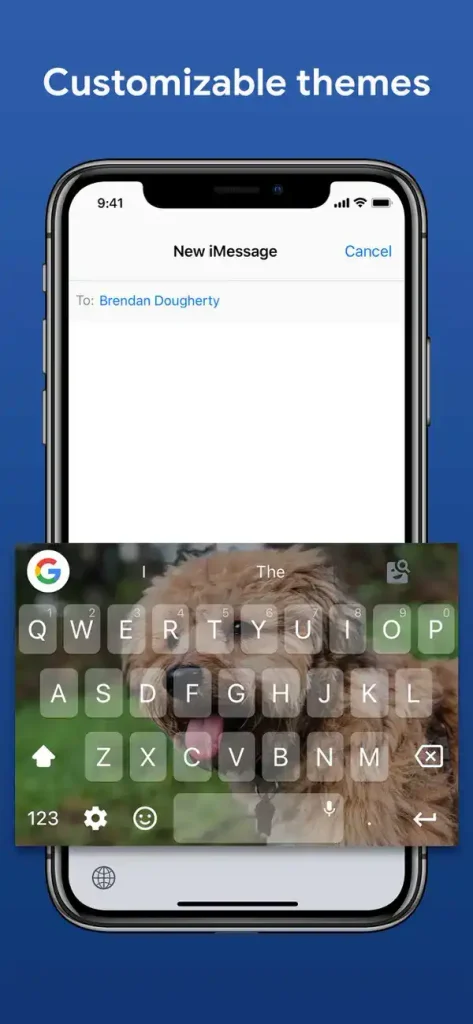
Gboard provides settings that let users adjust features such as Glide Typing, autocorrection, and character preview. These options can be configured from the Gboard application.
MOD Features
Because “MOD IPA” is an unofficial modification rather than an official Google product, there is no single standardized feature list. Different modified packages may advertise different changes.
Common claims made by third-party MOD releases can include:
- Additional customization options
- Modified keyboard appearance
- Extra configuration settings
- Removed or altered restrictions
- Additional unlocked options
- Modified interface behavior
These features should not be treated as guaranteed Gboard functionality because Google does not publish or support unofficial MOD IPA builds.
Premium and MOD Experience
What the MOD Version Means
Gboard itself is officially available as a free application on the App Store. The official listing identifies Google LLC as the developer and provides Gboard for iPhone and iPad.
Therefore, claims such as “Premium Unlocked” or “Everything Unlocked” on third-party Gboard IPA websites describe modifications made by someone other than Google. The exact functionality depends on the particular IPA package.
Safety Considerations
Installing an unofficial modified keyboard deserves extra caution because keyboards can potentially process sensitive information. Google explains that searches are sent to Google when Google Search is used, while ordinary typed content such as passwords and chats is not sent to Google according to its Gboard support documentation.
For this reason, users should carefully consider the source of any modified IPA and avoid giving a third-party keyboard unnecessary access.
How to Install Gboard on iPhone and iPad
Official Installation
The safest method is installing Gboard through the App Store.
- Open the App Store on your iPhone or iPad.
- Search for Gboard – the Google Keyboard.
- Confirm that the developer is Google.
- Tap Get and authenticate the download.
- Open Gboard after installation.
- Follow the setup instructions.
- Go to Settings > General > Keyboard > Keyboards.
- Add Gboard to your available keyboards.
- Open a text field and switch to Gboard using the Globe key.
Google’s official setup instructions also explain how to reorder keyboards and enable Full Access when required for features such as Google Search.
Installing an Unofficial IPA
An IPA obtained outside the App Store is not an official Google distribution. Installation normally requires a compatible iOS sideloading method and a properly signed application. The exact process varies according to the signing method, certificate, device, and iOS version.
For security reasons, avoid installing an IPA from an unknown source or using an untrusted certificate simply because a website claims that the application is “MOD,” “Premium,” or “Unlocked.”
Gboard iOS Compatibility
iPhone and iPad Support
Google’s support documentation states that Gboard is available for iPhones and iPads running iOS 9 and later. However, the current App Store listing has a newer minimum requirement: iOS 12.0 or later for iPhone and iPadOS 12.0 or later for iPad.
This means compatibility information can differ between Google’s general support documentation and the current App Store release requirements. For a new installation, the App Store listing should be treated as the more relevant requirement for the current build.
Latest iOS Versions
On modern iPhones and iPads that meet the current App Store requirements, the official Gboard application is designed to run on supported operating-system versions. However, an unofficial MOD IPA may not work correctly after an iOS update because modified packages can depend on specific signing, frameworks, or older application components.
If a MOD keyboard stops working after an iOS update, installing the latest official Gboard version from the App Store is generally the most reliable troubleshooting option.
Frequently Asked Questions
Is Gboard free on iPhone?
Yes. The official Gboard application is listed as free on Apple’s App Store and is developed by Google LLC.
Is Gboard available for iPad?
Yes. Gboard is available for both iPhone and iPad. The current App Store listing requires iOS 12.0 or later for iPhone and iPadOS 12.0 or later for iPad.
Is Gboard better than the default iPhone keyboard?
It depends on personal preference. Gboard is particularly useful for people who want Google Search, GIF search, emoji search, multilingual typing, translation, and Glide Typing in one keyboard.
Does Gboard support multiple languages?
Yes. Users can add supported languages and switch between them without changing the device’s main language.
Can Gboard translate while typing?
Yes. Gboard includes a translation feature that can translate text as you type between supported languages.
Is Gboard MOD IPA official?
No. A modified IPA is an unofficially altered application package. Google supports its official Gboard distribution, not third-party MOD IPA files.
Is Gboard safe to use?
The official App Store version comes directly from Google, making it the recommended choice. Users should be considerably more cautious with unofficial modified versions because their modifications and distribution sources cannot be assumed to have the same security standards.
Conclusion
Gboard remains a feature-rich keyboard option for iPhone and iPad users who want faster typing, Glide Typing, emoji and GIF search, Google Search, voice input, multiple languages, translation, and useful keyboard customization. The official App Store version is free and published by Google.
Although third-party websites may advertise a Gboard iOS MOD IPA with unlocked or enhanced features, those packages are unofficial and may introduce compatibility or security risks. For everyday use, the official Gboard release is the better choice, especially after major iOS updates. Always check the current App Store requirements before installing and keep your keyboard application updated.