

LookUp English Dictionary is a vocabulary-focused dictionary app for iPhone and iPad that combines word definitions with pronunciation, examples, translations, vocabulary-building tools, and visually designed daily words. The app is developed by Squircle Apps LLP and is listed in the Reference category on the App Store.
Unlike a basic dictionary that only provides a definition, LookUp is designed to help users discover, understand, remember, and practice English words. It includes an Oxford-powered dictionary, thesaurus, audio pronunciations, usage notes, example sentences, personal collections, quizzes, flashcards, and spaced-repetition learning.
All Features of LookUp English Dictionary
Oxford-Powered Dictionary
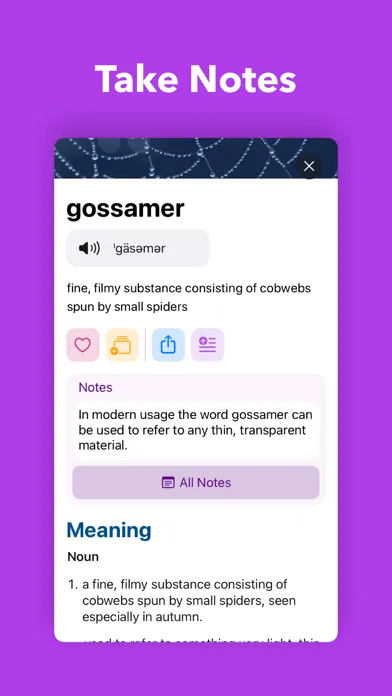
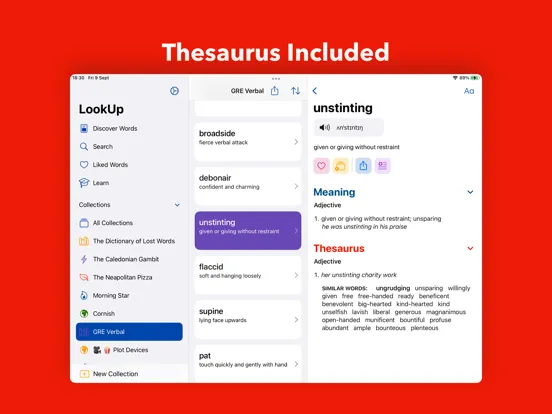
LookUp provides detailed English dictionary information powered by Oxford. Users can search for words and explore definitions, meanings, pronunciation information, usage notes, examples, and related vocabulary from within the app.
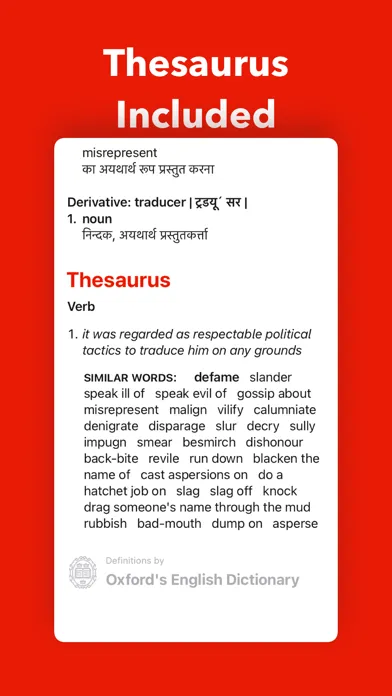
Thesaurus and Related Words
The app also works as a vocabulary reference tool by providing thesaurus-related information. This can help writers, students, and English learners understand alternative words and expand their vocabulary.
Audio Pronunciations
Audio pronunciation support allows users to listen to how words are spoken. This is useful when learning unfamiliar vocabulary or checking pronunciation before using a word in conversation.
Example Sentences
LookUp provides example sentences to show how words can be used in context. Understanding a word through an example can make it easier to recognize and use naturally.
Word of the Day
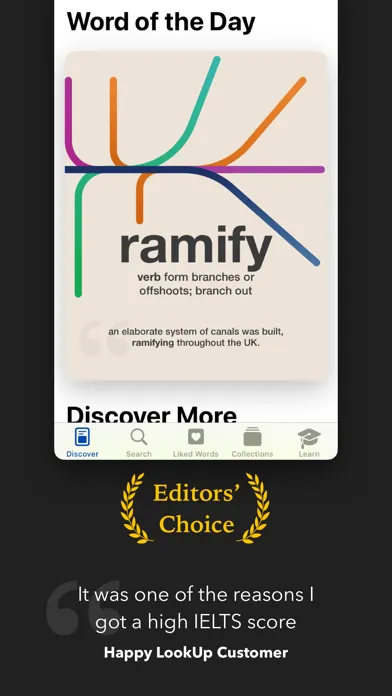
One of LookUp’s most recognizable features is its illustrated Word of the Day. Each day, users can discover a new English word together with visual material designed to make the vocabulary easier to remember.
Visual Vocabulary Learning
Instead of presenting vocabulary as plain text only, LookUp uses illustrations and visual memory aids. This gives learners another way to associate a word with its meaning.
Personal Word Collections
Users can save interesting or difficult words into their own collections. These collections can then become personalized study material for later review.
Flashcards and Interactive Quizzes
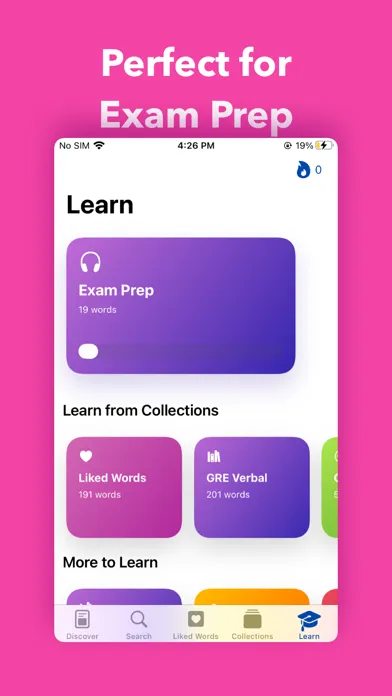
The learning section includes flashcards, interactive quizzes, and example-sentence-based learning. These tools allow users to actively recall vocabulary instead of simply reading definitions.
Spaced-Repetition Learning
LookUp uses spaced-repetition techniques to help users review vocabulary over time. The approach is particularly useful for people who want to gradually build a larger working vocabulary.
Conversation Learning
Recent versions include conversation-based learning modes designed to help users understand how vocabulary works in natural contexts. The app can present conversations and then test the learner’s understanding.
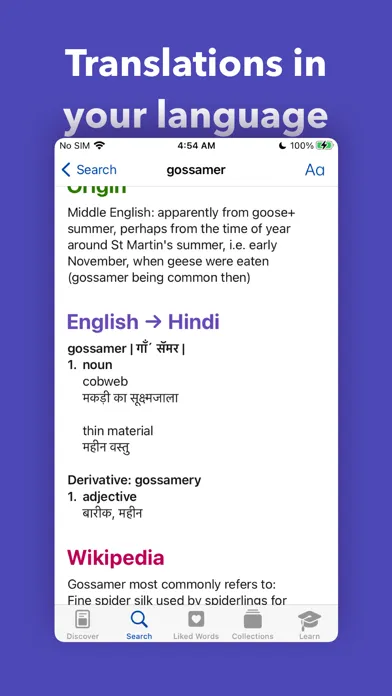
Translation Support
LookUp supports translations between English and more than 20 languages, including languages such as Hindi, Arabic, Chinese, German, Italian, Portuguese, Russian, Spanish, and others.
Widgets
The app provides Home Screen and Lock Screen widgets, allowing users to see Word of the Day content without opening the main application. Recent updates also introduced larger Word of the Day widgets.
Scan Words
Newer LookUp releases include a Scan Words feature that lets users point toward words and obtain definitions. The updated feature can also identify difficult words on a page.
Siri Integration
LookUp supports Siri-related functionality. Users can ask Siri to define a word through LookUp or request a random word from the application.
Reading Mode
The newer Reading Mode can work as an audio companion while reading. Users can speak a word and obtain its definition through the supported iOS experience.
Interactive Voice Flashcards
Newer learning functionality includes interactive flashcards where users can define words using voice input and receive feedback based on their response.
Reverse Dictionary and Context Tools
LookUp also provides reverse-lookup functionality for situations where you know the idea you want to express but cannot remember the exact word. The app can provide word recommendations and contextual assistance.
Origin Maps
Earlier LookUp updates introduced Origin Maps, which help users explore the origins of words and understand how vocabulary developed.
Notes and Vocabulary Organization
Users can organize vocabulary for later study, while newer versions include different visual modes for notes. This can be useful when creating a personal vocabulary reference.
Functions and Learning Experience
Searching for Words
The primary function is straightforward: enter a word into LookUp and explore its available dictionary information. Depending on the word, you can find definitions, pronunciation, examples, usage information, translations, and related vocabulary.
Building a Personal Vocabulary
Instead of searching and forgetting words, users can save vocabulary into collections. This creates a personalized word bank that can be revisited during study sessions.
Practicing Vocabulary
The Learn section turns saved vocabulary into active practice. Available learning experiences include:
- Interactive quizzes
- Flashcards
- Example sentence exercises
- Conversation-based learning
- Spaced-repetition review
- Voice-based definition practice
These functions make LookUp useful for both casual vocabulary discovery and structured English practice.
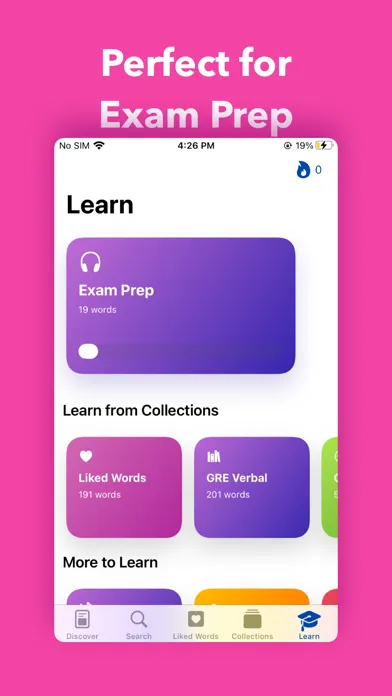
Supporting English Exams
The App Store description specifically mentions use cases such as GRE, SAT, TOEFL, and IELTS preparation. The vocabulary-building and spaced-repetition functions can therefore be used as part of an English-learning routine.
Premium / LookUp+ Features
The title does not contain “Premium” or “MOD,” so this section is not a MOD-feature claim. However, the official App Store listing confirms that LookUp is free with in-app purchases and offers LookUp+ subscriptions and a lifetime purchase.
The listed Indian App Store prices include LookUp+ Monthly at ₹299, Yearly at ₹2,999, and Lifetime at ₹5,900. Availability and pricing can vary by region and may change over time.
How to Download and Install LookUp on iPhone and iPad
Install on iPhone
LookUp is officially available through Apple’s App Store. The safest installation method is to search for LookUp: English Dictionary App, check that the developer is Squircle Apps LLP, and install it from the official listing.
Steps:
- Open the App Store on your iPhone.
- Search for “LookUp English Dictionary.”
- Select the listing from Squircle Apps LLP.
- Tap Get or the purchase/install button.
- Authenticate with Face ID, Touch ID, or your Apple ID if requested.
- Wait for the installation to finish.
- Open LookUp and start searching for words.
Install on iPad
The app is also listed for iPad. Open the App Store, search for LookUp, select the official Squircle Apps LLP listing, and install it. The current listing identifies iPhone and iPad as supported Apple platforms.
For security, avoid downloading modified IPA files from unknown websites when an official App Store version is available.
Is LookUp Supported on the Latest iOS Versions?
The current App Store listing should be treated as the authoritative source for compatibility because Apple’s requirements can change between releases. The listing currently states that the latest version requires iOS 26.0 or later on iPhone and iPadOS 26.0 or later on iPad.
The listing also shows recent LookUp 13 updates adding support for newer iOS functionality, including Siri features, extra-large widgets, Scan Words, new learning modes, and other system integrations.
FAQs About LookUp English Dictionary
Is LookUp English Dictionary free on iPhone?
Yes. The App Store lists LookUp as free with optional in-app purchases and LookUp+ plans.
Who develops LookUp English Dictionary?
LookUp is developed by Squircle Apps LLP.
What category is LookUp English Dictionary?
It is listed in the Reference category on the App Store.
Does LookUp have pronunciation?
Yes. The app provides audio pronunciation support for words.
Does LookUp support translations?
Yes. The official listing says LookUp supports English translations into more than 20 languages.
Can I learn vocabulary with LookUp?
Yes. LookUp includes vocabulary collections, flashcards, quizzes, example-sentence practice, conversation learning, and spaced-repetition tools.
Does LookUp work on iPad?
Yes. The App Store lists the application for iPad as well as iPhone.
Does LookUp have a Word of the Day?
Yes. It provides an illustrated Word of the Day and supports widgets for easier access.
Does LookUp support Siri?
Recent versions include Siri functionality for defining words and requesting a random word from LookUp.
Is LookUp useful for IELTS and TOEFL vocabulary?
The developer specifically describes the app as suitable for exam preparation, including IELTS and TOEFL, as well as GRE and SAT.
Conclusion
LookUp English Dictionary is more than a conventional dictionary because it combines dictionary reference tools with vocabulary-building and learning features. Users can search for definitions, listen to pronunciations, examine examples, explore translations, save words, practice with quizzes and flashcards, and discover a new illustrated word each day.
Its newer releases add features such as Scan Words, Siri integration, Reading Mode, interactive voice flashcards, conversation learning, and expanded widgets. The App Store currently lists support for iPhone and iPad, with the current version requiring iOS 26.0 or later and iPadOS 26.0 or later.
For anyone looking for an English dictionary that also provides structured vocabulary practice, LookUp offers a broad collection of reference and learning functions within one iOS application.