

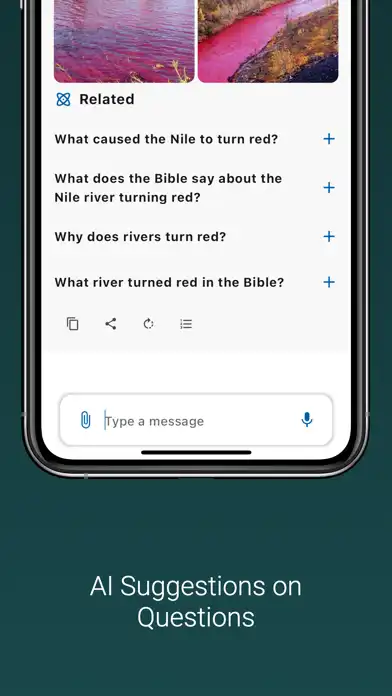

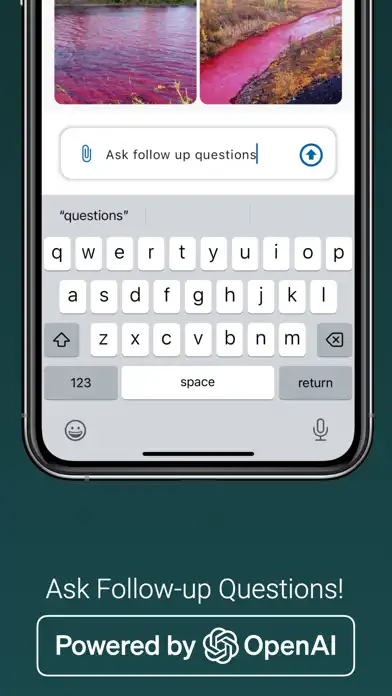
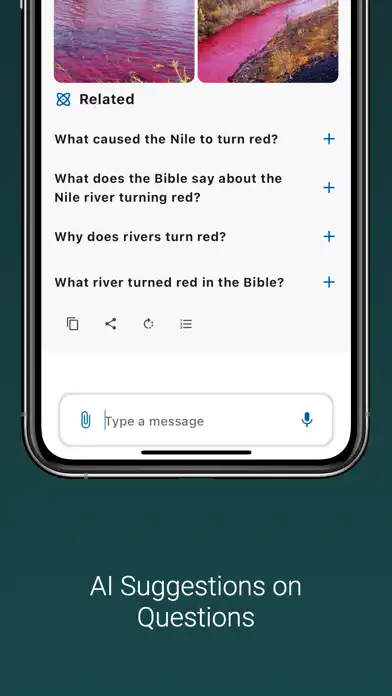
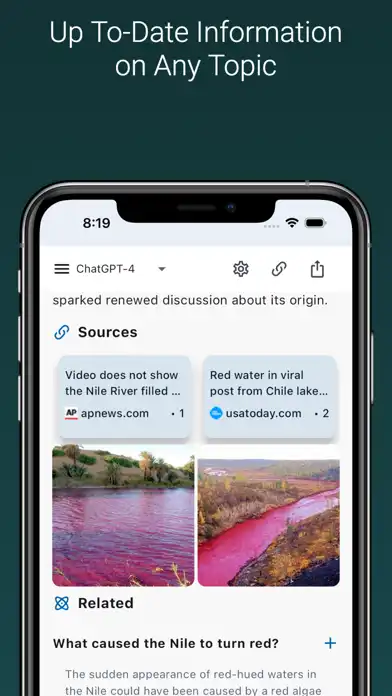

Chat Unlimited & Ask Brutus AI is an AI-powered chat and search application designed for iPhone and iPad users who want access to conversational AI, internet-assisted answers, writing tools, document assistance, and other productivity features in one place. The current App Store listing describes Brutus AI as an AI chat assistant with search capabilities and support for multiple AI models.
The application can be used for asking questions, researching topics, generating written content, working with documents, preparing email responses, learning new subjects, and communicating in multiple languages. The App Store listing also mentions AI image generation, file uploads, image analysis, code execution improvements, and text-to-speech functionality across its version history.
With a straightforward chat interface, users can enter questions or instructions and receive AI-generated responses. Because the app includes search functionality, it can also be useful when a question requires information from the internet rather than relying solely on a conversational response.
All Features of Chat Unlimited & Ask Brutus AI
AI Chat Assistant
The main function of Brutus AI is conversational interaction. Users can enter questions, instructions, ideas, or problems and receive AI-generated responses. The application is designed to support everyday questions as well as more detailed tasks such as writing, learning, brainstorming, and research.
Internet Search
Brutus AI combines AI conversations with search capabilities. This allows users to ask questions that may benefit from online information and research. The App Store describes advanced search results as part of the application’s core experience.
Multiple AI Models
The application has evolved to support multiple AI models. Its current listing mentions GPT-5, Grok, and Claude, while the version history documents support for models and services including GPT-4, Gemini, and other AI capabilities. Availability of individual models can depend on the current application version and plan.
Multilingual Conversations
Users can communicate with the application in numerous languages. The current App Store listing shows support for English and many additional languages, making the app useful for multilingual users and language-learning activities.
AI Writing Assistance
Brutus AI can assist with creating and improving written content. Users can provide an instruction and ask the AI to draft, rewrite, summarize, expand, or organize text according to their needs.
Document Generation
The application includes document-content generation capabilities. This can be useful for preparing structured text, reports, drafts, notes, and other written materials directly from an iPhone or iPad.
Email Response Assistance
Users can ask the AI to help create email replies. Instead of starting with a blank screen, you can provide the situation and desired tone and then edit the generated response before sending it.
Image Generation
The application’s version history documents improvements to AI image generation and an option to ask AI to generate an image while chatting. This provides a creative feature alongside text-based conversations.
Image Analysis
Earlier version updates also introduced image analysis. This can allow users to provide visual information and ask the AI questions about the supplied image, depending on the current feature availability.
File Upload and Assistance
File-related functionality is another part of Brutus AI. Version updates mention improvements to file uploads and assistant file downloads, while later updates added support for XLSX files. This can make the app useful when working with documents or other supported files.
Voice and Text-to-Speech
The version history includes text-to-speech functionality for voice-over. This gives users another way to interact with AI-generated responses rather than relying exclusively on reading text.
Conversation History
Brutus AI is designed to retain conversation information so users can return to previous discussions. The App Store description states that the assistant can store and recall information from past conversations.
Dark Interface and Accessibility
The application supports accessibility features including VoiceOver, Voice Control, larger text, and a dark interface. These options can make the application easier to use for people with different accessibility preferences.
Functions and How to Use Chat Unlimited & Ask Brutus AI
Start an AI Conversation
Open Brutus AI and enter your question in the chat field. You can ask for explanations, ideas, summaries, writing assistance, research help, or general information. More specific prompts generally make it easier to communicate the desired result.
Search for Information
Use the search-enabled functionality when your question requires online research. Ask a clear question and review the generated response and available search information. For important subjects, verify information using reliable primary or official sources.
Generate Written Content
Enter a description of what you want to create. You can specify the format, audience, length, and tone. For example, you can request a blog outline, email draft, study notes, product description, or social-media copy.
Work With Documents and Files
Where supported, upload a compatible file and ask Brutus AI to analyze or work with its contents. This can be useful for extracting information, summarizing documents, or asking questions about uploaded material.
Ask Questions About Images
When image-analysis functionality is available, provide an image and ask a specific question about it. The AI can then process the visual input according to the capabilities available in your current version.
Generate Images
Use the image-generation feature when you want AI-created visuals. Describe the subject, style, composition, and important details in your prompt, then review the generated result.
Use Multiple Languages
You can communicate with Brutus AI in supported languages. This can be helpful for translation practice, language learning, multilingual writing, or asking questions in your preferred language. The App Store currently lists dozens of supported languages.
Use Voice and Accessibility Options
Users can take advantage of supported accessibility features such as VoiceOver, Voice Control, and larger text. A dark interface is also available for users who prefer a darker visual environment.
Review and Edit AI Responses
AI-generated content should be treated as a draft rather than automatically accepted as fact. Read the response, correct mistakes, verify important claims, and adjust the writing before using it professionally or academically.
Who Should Use Chat Unlimited & Ask Brutus AI?
This application can be useful for:
- Students looking for explanations, study assistance, and research support.
- Writers who need brainstorming and drafting assistance.
- Professionals preparing emails, documents, and written material.
- Researchers who want conversational assistance alongside search.
- Multilingual users who want to communicate with AI in different languages.
- Creators interested in AI-assisted text and image generation.
- Users who regularly work with supported documents and files.
- People who want an AI assistant on iPhone or iPad.
Premium Features, Installation & FAQs
Premium Features
The title Chat Unlimited & Ask Brutus AI does not contain “MOD” or “Premium,” so this article does not describe it as a MOD or unlocked application.
The official App Store listing does, however, show optional in-app purchases. These include plans and credit-based purchases such as Unlimited Chat, Unlimited Word Credits, weekly and yearly plans, and Pro plans with image generation. Exact prices vary by storefront and can change over time.
Users should use the official App Store version and the application’s legitimate subscription system rather than relying on modified versions that claim to unlock paid features.
How to Download and Install on iPhone
The official iOS version can be installed through Apple’s App Store.
- Open the App Store on your iPhone.
- Search for Chat Unlimited & Ask Brutus AI.
- Confirm that the developer is Aryan Chaurasia.
- Tap Get or the displayed purchase button.
- Authenticate with Face ID, Touch ID, or your Apple Account if requested.
- Wait for the application to finish installing.
- Open Brutus AI and follow its setup instructions.
- Start a conversation and explore the available AI tools.
The current App Store listing identifies the application as compatible with iPhone and provides its official listing through Apple’s App Store.
How to Install on iPad
The application is also listed for iPad.
- Open the App Store on your iPad.
- Search for Chat Unlimited & Ask Brutus AI.
- Check the developer name and application details.
- Tap Get.
- Complete Apple’s authentication process.
- Launch the application after installation.
- Sign in or complete any required setup.
- Start using the available chat, search, writing, and other AI functions.
The App Store currently lists iPad compatibility and requires iPadOS 14.0 or later.
Is Chat Unlimited & Ask Brutus AI Supported on the Latest iOS Versions?
The current App Store listing states that the application requires iOS 14.0 or later for iPhone and iPadOS 14.0 or later for iPad. The listing has also documented updates specifically addressing compatibility and improvements for iOS 18.
Because Apple can introduce new operating-system versions after an application’s listed minimum requirement, users should check the current App Store compatibility information on their device before installing or updating. Having a minimum requirement of iOS 14.0 does not by itself guarantee that every future iOS release will have identical behavior.
Frequently Asked Questions
Is Chat Unlimited & Ask Brutus AI free?
The application is listed as free with optional in-app purchases. The App Store also lists various paid plans and credit packages.
Who developed Brutus AI?
The current App Store listing identifies Aryan Chaurasia as the developer and seller.
What category is Brutus AI in?
The application is currently listed in the Education category.
Does Brutus AI support iPad?
Yes. The App Store lists both iPhone and iPad compatibility.
Does Brutus AI have internet search?
Yes. Internet-assisted search is one of the application’s advertised capabilities.
Can Brutus AI generate images?
Yes. The application’s version history documents AI image-generation improvements and image-generation functionality.
Can Brutus AI help write emails?
Yes. Email-response assistance is included among the application’s advertised features.
Does Brutus AI support multiple languages?
Yes. The current App Store listing shows support for English and numerous additional languages.
Can I use Brutus AI for studying?
Yes. Its Education category and AI chat functionality make it suitable for study-related activities such as explanations, brainstorming, research assistance, and language learning. However, users should verify important academic information independently.
Conclusion
Chat Unlimited & Ask Brutus AI brings conversational AI, search, writing assistance, document generation, multilingual communication, image capabilities, and other AI tools together in an iPhone and iPad application. Its feature set has expanded through multiple updates, including file improvements, image analysis, image generation, text-to-speech, language options, and support for different AI models.
The application can be useful for students, writers, professionals, researchers, and everyday users who want AI assistance from a mobile device. The official App Store listing currently requires iOS 14.0 or later and supports iPadOS 14.0 or later.
For the safest experience, download the official version through the App Store, keep the application updated, review subscription details before purchasing, and verify important AI-generated information before relying on it.