
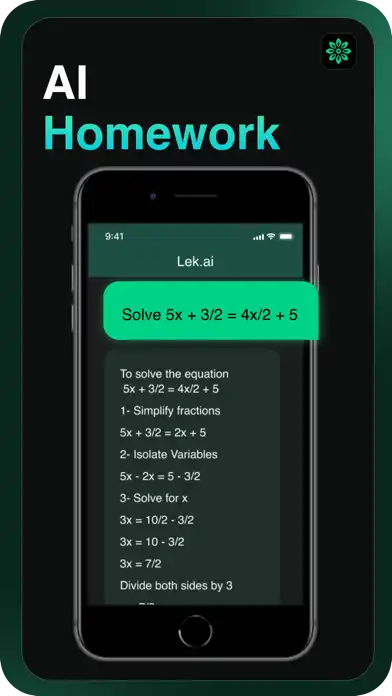




AI Writer Assistant – Lek is an AI-powered productivity and writing application designed to help users create, improve, and organize different types of written content. The app can assist with emails, blog content, advertisements, product descriptions, SEO text, social media ideas, lyrics, and other writing tasks. According to its App Store listing, Lek is developed by AppTech Private Limited and is available for iPhone and iPad.
Lek focuses on making writing simpler by allowing users to choose a writing use case, provide some instructions or input, and generate content. It also includes tools for improving existing text, such as grammar correction, rewriting, shortening, and expanding paragraphs. The current App Store listing also highlights newer AI features including fact checking, deep search, text humanization, and web search within the chatbot.
All Features of AI Writer Assistant – Lek
AI Content Generation
Lek can generate written content from user-provided instructions. Instead of starting every document from a blank page, users can describe what they need and use the AI assistant to create a starting draft. This can be useful for everyday writing, professional communication, marketing content, and creative projects.
Email Writing
The app provides tools for creating different types of emails, including formal and informal messages. It can also help with promotional emails, sales emails, and welcome emails for customers or clients. This makes it useful when users want help choosing suitable wording and structure.
SEO Writing Tools
Lek includes several tools aimed at website owners and content creators. Users can generate SEO-friendly meta text, titles, and other website content. These tools can help structure ideas around a specific topic while reducing the amount of manual drafting required.
Social Media Content
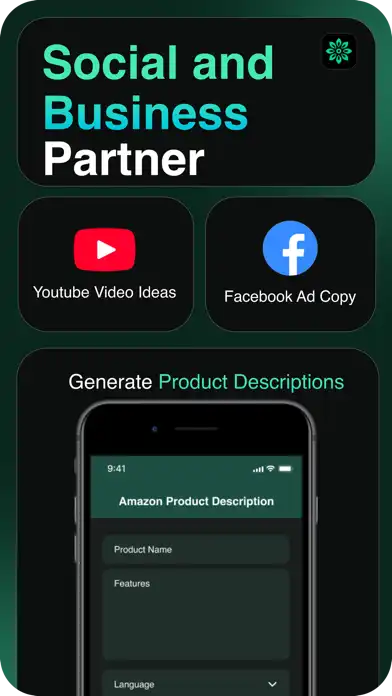
The app can generate ideas and copy for platforms such as Twitter/X, Facebook, and YouTube. It can also help create YouTube titles, video ideas, tags, and descriptions. These functions are designed for creators who need different types of social content regularly.
Advertising Copy
Lek can assist with advertising content, including Google Ads and Facebook Ads. It can generate promotional wording based on information supplied by the user, helping create an initial advertising draft that can then be reviewed and edited.
Product Descriptions
For online sellers, Lek provides tools for creating product titles, descriptions, and feature bullet points. The App Store listing specifically mentions support for Amazon-related content, including advertising headlines, product titles, bullet points, and descriptions.
Grammar Correction and Rewriting
Lek can improve existing writing by correcting grammar and rephrasing sentences. This is useful when a paragraph is understandable but needs clearer wording, better structure, or a different writing style.
Text Expansion and Shortening
Users can make paragraphs longer or shorter according to their requirements. This can be helpful when adapting content for different platforms, word counts, emails, descriptions, or social media posts.
Headlines and Taglines
The app can create attention-grabbing headlines and business taglines. Users can provide a topic, product, or business idea and use the generated suggestions as a starting point for their own copy.
Creative Writing and Lyrics
Lek also supports creative writing tasks. According to the App Store description, users can create lyrics for different topics and complete existing lyrics.
Chatbot and Image Generation
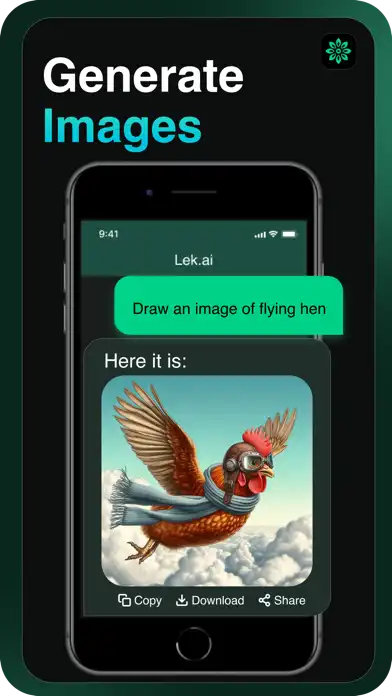
The current App Store listing identifies Lek as a chatbot and image generator. Its version history also records the addition of image generation and later improvements to its AI capabilities.
Fact Checker
A newer version of Lek includes a fact-checking feature designed to provide real-time verification of information. Users should still independently verify important information because AI-generated results can contain errors.
Deep Search
The app’s newer feature set includes Deep Search, which is intended to help users find relevant information more efficiently. The enhanced chatbot search functionality can support conversations that require additional information.
Text Humanizer
Text Humanizer is another feature listed in the latest version information. It is designed to make AI-generated wording sound more natural and conversational. Users can use the result as an editable draft rather than treating generated text as automatically perfect.
Web Search in Chatbot
Lek also includes web search directly within its chatbot experience. This can allow conversations to incorporate information from online searches without requiring users to leave the app.
Functions, Installation, and Compatibility
Main Functions
AI Writer Assistant – Lek brings multiple writing functions into one application. Its main uses include:
- Creating emails, advertisements, blogs, product descriptions, and social media copy
- Generating SEO titles, meta text, and content ideas
- Rewriting, expanding, shortening, and correcting existing text
- Creating YouTube titles, descriptions, tags, and video ideas
- Generating business taglines, job advertisements, and task-related content
- Creating and completing lyrics
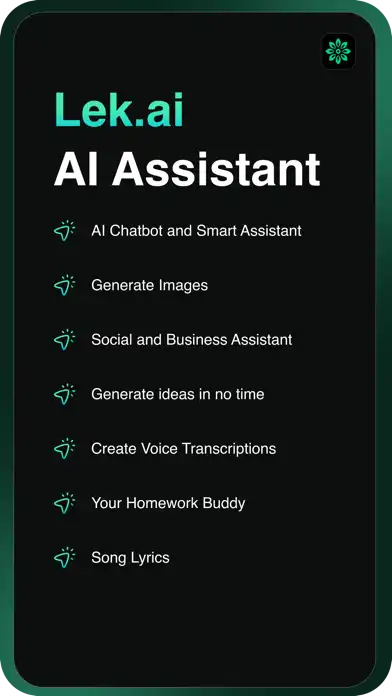
- Using chatbot, image generation, fact checking, deep search, and web search features
These functions make Lek suitable for students, content creators, marketers, entrepreneurs, developers, authors, and people who regularly work with written communication.
How to Download and Install on iPhone
The official App Store listing shows that Lek is available for iPhone and requires iOS 13.0 or later.
To install it:
- Open the App Store on your iPhone.
- Search for AI Writer Assistant – Lek.
- Check that the developer is AppTech Private Limited.
- Tap Get.
- Authenticate the download with Face ID, Touch ID, or your Apple ID.
- Wait for the installation to finish.
- Open Lek and follow its on-screen setup instructions.
For security, downloading through the official App Store is preferable to installing modified or unofficial IPA packages.
How to Install on iPad
Lek is also listed for iPad and requires iPadOS 13.0 or later.
Open the App Store on your iPad, search for AI Writer Assistant – Lek, select the official application, and tap Get. After installation, launch the app and configure it according to your needs.
Is Lek Supported on the Latest iOS Versions?
The App Store currently lists a minimum requirement of iOS 13.0 or later for iPhone and iPadOS 13.0 or later for iPad. The listing also shows version 3.1.1 in its recent version history, with the latest update information including performance improvements and bug fixes.
Because the minimum requirement is iOS 13, devices running newer supported iOS releases meet the stated minimum software requirement. However, individual features can sometimes behave differently depending on the device, operating-system version, account, region, and app version.
Premium and In-App Purchases
The title of this post does not include “Premium” or “MOD,” so there is no separate MOD feature section. Lek is listed as a free app with optional in-app purchases. The App Store currently lists several Starter, Pro, and Max subscription options, although prices can vary by region.
Users should check the App Store directly for the subscription options and pricing available in their country.
FAQs About AI Writer Assistant – Lek
Is AI Writer Assistant – Lek free on iPhone?
Lek is listed as a free download on the App Store, with optional in-app purchases and subscription plans.
What can Lek AI Writer do?
Lek can help generate emails, advertisements, SEO content, product descriptions, social media copy, lyrics, headlines, and other types of written content. It also offers rewriting, grammar improvement, text expansion, and shortening tools.
Can Lek write emails?
Yes. The app supports formal and informal emails as well as promotional, sales, and welcome email content.
Does Lek support iPad?
Yes. The App Store lists Lek as compatible with iPad and requires iPadOS 13.0 or later.
Does Lek have a chatbot?
Yes. The current App Store listing describes Lek as a chatbot and image generator, with web search and enhanced deep-search functionality included in its newer feature set.
Can Lek generate images?
Yes. Image generation was added to the app according to its version history.
Does Lek have a grammar checker?
Lek includes tools for fixing grammar mistakes and rephrasing sentences, according to its App Store feature description.
What iOS version does Lek require?
The current App Store listing states that Lek requires iOS 13.0 or later on iPhone and iPadOS 13.0 or later on iPad.
Conclusion
AI Writer Assistant – Lek is a multifunctional writing and AI productivity app for iPhone and iPad. It combines content generation, email writing, SEO tools, advertising copy, social media assistance, product descriptions, rewriting, grammar improvement, creative writing, chatbot functions, image generation, and newer research-oriented features such as fact checking and web search.
The app is developed by AppTech Private Limited and is available through the App Store. With its broad collection of writing tools and support for iOS 13 or later, Lek can serve as a convenient writing workspace for users who want AI assistance across different types of everyday content.