






VEED Lite: Quick Video Edits is a mobile video-editing application designed for iPhone users who want to create polished short-form videos quickly. Developed by VEED Ltd, the app combines automatic editing, captions, AI-powered tools, music, B-roll, zoom effects, titles, stickers, and social-media resizing in a simple mobile workflow. The current App Store listing places it in the Photo & Video category and lists it as a free app with in-app purchases.
Unlike the full VEED app, VEED Lite is a separate iOS application focused on fast, phone-based editing. Its projects and subscription are separate from the main VEED platform, making it particularly useful for people who want to edit camera-roll footage without using a desktop editor.
All Features of VEED Lite
AI Automatic Video Editing
One of the main features of VEED Lite is AI-powered automatic editing. Users can upload or record a video and let the app apply selected editing styles automatically. You can review different styles, switch individual edits on or off, and save your preferences for future projects.
Automatic Captions
VEED Lite can generate captions from spoken content, helping creators make videos easier to understand when viewers watch without sound. Caption styles can also be customized to give short-form videos a more engaging appearance.
The app also supports translating captions into different languages, which can be useful for creators who publish content for international audiences.
AI Talking Videos
VEED Lite includes AI talking-video functionality powered by VEED’s AI technology. Users can create an AI actor, select a voice and generate a talking video from a script or prompt without recording themselves.
AI Zoom Effects
The app can automatically apply zoom effects at important moments in a video. These dynamic zooms can make talking-head videos and short clips feel more active without requiring manual keyframe editing.
AI Background Music
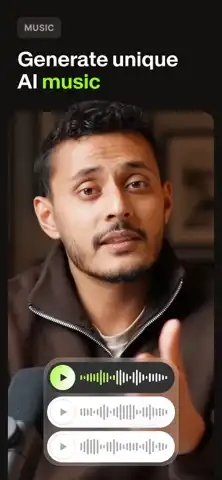
VEED Lite can automatically add background music to videos. Its AI music functionality is designed to provide suitable background audio while helping creators avoid the complexity of manually searching for music for every project.
AI B-Roll
AI B-roll can add relevant visual material based on what is being discussed in a video. This can help creators make educational videos, commentary, tutorials, and social posts more visually interesting. VEED’s documentation confirms that AI B-roll is available in the Lite app, with availability depending on the user’s plan.
Background Noise Removal
The app includes audio-cleaning functionality designed to reduce unwanted background noise. This can be useful when videos are recorded in rooms, outdoor locations, or other environments where the original recording contains distracting sounds.
Titles, Text, Stickers and GIFs
VEED Lite lets users add titles and customize their appearance. You can change text, timing, fonts, colors, and background styles. Stickers, GIFs, and emojis can also be added to videos for additional visual effects.
Video Resizing
Different social platforms use different aspect ratios. VEED Lite provides video resizing tools that make it easier to prepare content for platforms such as Instagram, TikTok, YouTube, and other social networks.
Social Media Sharing
After editing, videos can be shared to popular social platforms. The app is designed around short-form content creation and supports workflows for Instagram, TikTok, YouTube Shorts, X, and LinkedIn.
Functions and How to Use VEED Lite
Create a New Project
Start by opening VEED Lite and tapping the plus button. You can select an existing video from your iPhone or record a new video directly through the application.
After selecting the footage, the app provides editing options such as captions and other enhancement tools. You can continue customizing the project before exporting it.
Edit Videos Quickly
VEED Lite is designed for quick editing rather than replacing every function of a professional desktop video editor. Its workflow focuses on common mobile tasks such as trimming clips, adding music, text, stickers, GIFs, captions, and visual effects.
Customize Captions
After captions are generated, users can modify their appearance and choose from available caption styles. AI editing can also apply subtitle styling automatically.
Add Titles
To add a title, open your project and select the Titles option. Enter your text and customize its position, duration, font, color, and background style.
Generate AI Edits
AI Edit can analyze uploaded footage and automatically apply supported enhancements. Users can select from available styles and disable individual effects they do not want. The app can remember certain editing preferences for subsequent videos.
Export and Share
Once the editing process is complete, export the finished video and save or share it through your preferred platform. VEED Lite is particularly focused on creating content that can quickly move from the camera roll to social media.
Who Should Use VEED Lite?
VEED Lite can be useful for:
- Social-media creators making short videos.
- Small businesses creating promotional clips.
- Marketers producing quick mobile content.
- YouTubers making Shorts.
- Instagram and TikTok users.
- People who want automatic captions.
- Users who want AI-assisted editing without a complicated timeline.
- Beginners looking for a straightforward mobile editor.
The app is especially suitable when speed is more important than having every advanced desktop editing feature.
Download and Install VEED Lite on iPhone and iPad
Install on iPhone
VEED Lite is officially distributed through Apple’s App Store. The current App Store listing identifies it as an iPhone app, developed by VEED Ltd, and lists it as free with in-app purchases.
To install it:
- Open the App Store on your iPhone.
- Search for VEED Lite: Quick Video Edits.
- Check that the developer is VEED Ltd.
- Tap Get.
- Authenticate with Face ID, Touch ID, or your Apple Account password when requested.
- Wait for installation to finish.
- Open VEED Lite and sign in if required.
- Start a new project and select a video from your Camera Roll.
Can You Install It on iPad?
The current App Store listing identifies VEED Lite as designed for iPhone, so users should check the App Store compatibility information on their particular iPad before attempting installation.
If your goal is full VEED functionality across mobile and desktop, VEED’s separate main app is different from VEED Lite. VEED Lite is specifically a standalone iOS quick-editing application.
Latest iOS Support and Subscription Information
Is VEED Lite Supported on the Latest iOS Versions?
VEED Lite is actively maintained, with the App Store showing recent releases and bug-fix updates. The version history includes version 8.15.1 released on August 24, alongside previous updates throughout 2026.
Because Apple device compatibility can change with app updates, the App Store’s compatibility section should be checked on the installation device for the exact minimum iOS requirement. The safest approach is to keep iOS updated and install the latest App Store version available for your device.
Is There a Premium or MOD Version?
The title of this article does not identify VEED Lite as a Premium or MOD release, so no unofficial MOD features are claimed here.
VEED Lite itself is free to download and includes in-app purchases. Some advanced capabilities, including AI Edit and AI B-roll, can depend on the applicable Mobile Pro subscription.
It is also important to understand that VEED Lite has its own subscription. A subscription for the main VEED product does not automatically unlock VEED Lite, and the two products manage subscriptions separately.
FAQs About VEED Lite
Is VEED Lite free on iPhone?
Yes. The App Store lists VEED Lite as a free download with optional in-app purchases.
What is VEED Lite used for?
VEED Lite is designed for quick mobile video editing, including captions, automatic edits, AI tools, music, B-roll, zooms, titles, stickers, and social-media content preparation.
Is VEED Lite the same as the VEED app?
No. VEED Lite is a separate iOS app focused on quick editing, while the main VEED app provides a broader video-creation and editing experience. They have separate subscriptions and project systems.
Can VEED Lite automatically edit videos?
Yes. Its AI Edit feature can automatically apply supported enhancements and styles to uploaded footage. Users can review the result and turn individual editing elements on or off.
Does VEED Lite have automatic captions?
Yes. Automatic captions are one of its core features, with different styles and translation capabilities available.
Can VEED Lite remove background noise?
Yes. VEED Lite provides an audio-cleaning feature intended to reduce unwanted background noise from recordings.
Does VEED Lite work on Android?
VEED Lite itself is an iOS application. VEED offers a separate main app for Android and iOS.
Where are VEED Lite projects stored?
VEED Lite projects are stored on the phone rather than automatically appearing in the user’s web workspace. Projects can be moved to a VEED Space or Folder when supported.
Can I create AI talking videos with VEED Lite?
Yes. The current app includes AI actor and talking-video functionality, allowing users to create AI-generated talking content from scripts or prompts.
Conclusion
VEED Lite: Quick Video Edits is built around fast, mobile-first video creation. Its combination of automatic editing, captions, AI zooms, AI B-roll, background music, noise reduction, titles, stickers, resizing, and AI talking videos gives iPhone users a convenient way to prepare short-form content without relying on a desktop editor.
The app is particularly focused on quick editing rather than offering every feature available in VEED’s full platform. Users should also remember that VEED Lite is a separate product with its own projects and subscription system. For people who primarily record content on an iPhone and want to turn those recordings into social-ready videos quickly, VEED Lite provides a focused mobile editing workflow.


