


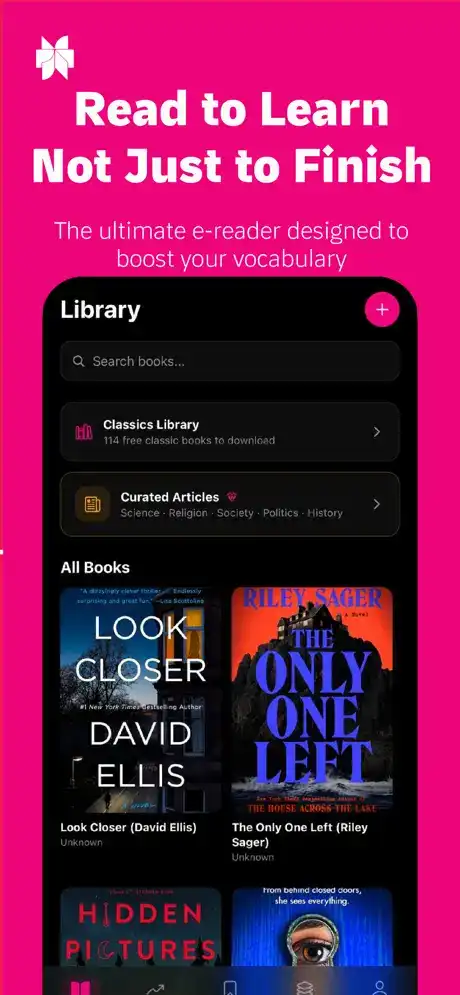
Learning English becomes much easier when reading practice, vocabulary building, pronunciation, and comprehension exercises are combined in one app. Elingo: Read & Learn English is designed for learners who want to improve their English through regular reading and interactive learning activities on iPhone and iPad.
Whether you are a beginner trying to understand simple English sentences or an intermediate learner looking to expand your vocabulary, Elingo can provide a convenient way to practice in short sessions. Its reading-focused approach can also make learning feel more practical than simply memorizing word lists.
Elingo: Read & Learn English Features
English Reading Practice
The main purpose of Elingo is to help users develop stronger English reading skills. Learners can work through English texts and gradually become more comfortable with sentence structures, commonly used vocabulary, and different styles of written English.
Regular reading practice can help improve both reading speed and understanding. Instead of treating English as a collection of isolated words, the app encourages users to learn words in context.
Vocabulary Building
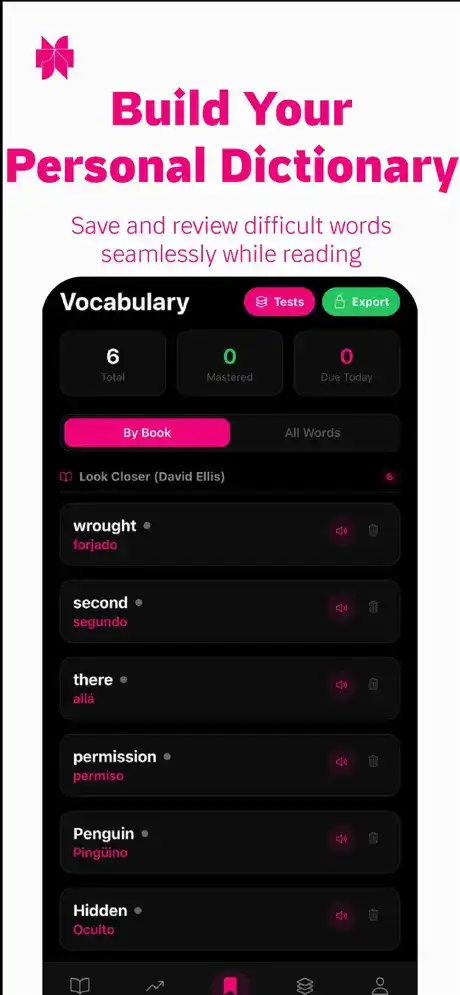
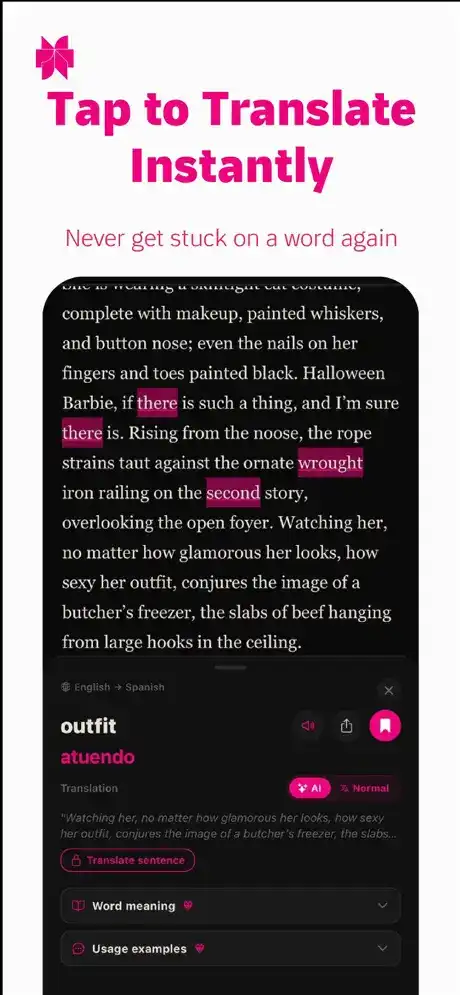
A strong vocabulary is essential for understanding English content. Elingo helps learners encounter new words while reading, making it easier to connect vocabulary with the sentences in which it is used.
This approach can be particularly useful for students who remember words better when they see them being used naturally. Repeated exposure can also help learners recognize familiar vocabulary more quickly.
Reading Comprehension
Reading English is not only about recognizing individual words. Understanding the meaning of a complete sentence or passage is equally important. Elingo’s learning approach focuses on comprehension so users can work toward understanding what they read.
Comprehension-oriented exercises can help learners identify important information, understand context, and improve their overall ability to follow English texts.
Different Learning Levels
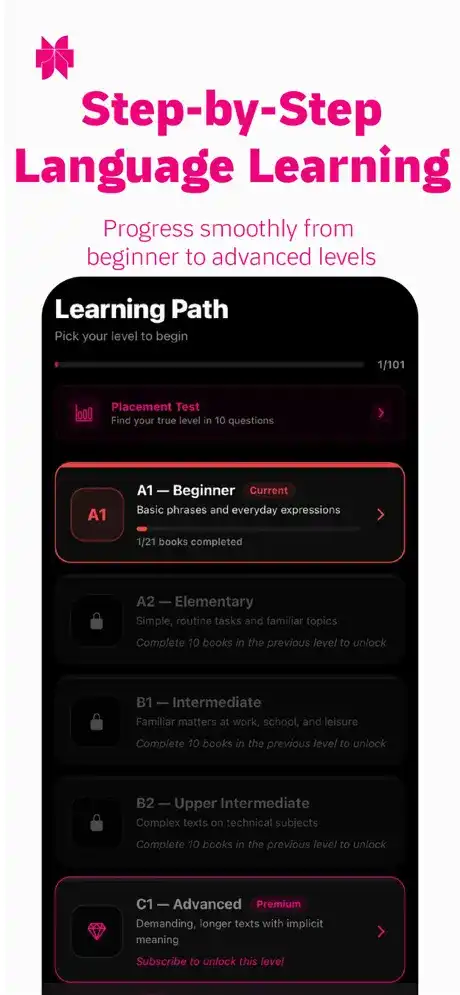
English learners have different abilities, so a useful learning application needs to accommodate beginners as well as more experienced users. Elingo is designed around progressive English learning, allowing users to practice material appropriate to their current ability.
Starting with easier content and gradually moving toward more challenging material can make learning less overwhelming and provide a clearer sense of progress.
Interactive Learning Experience
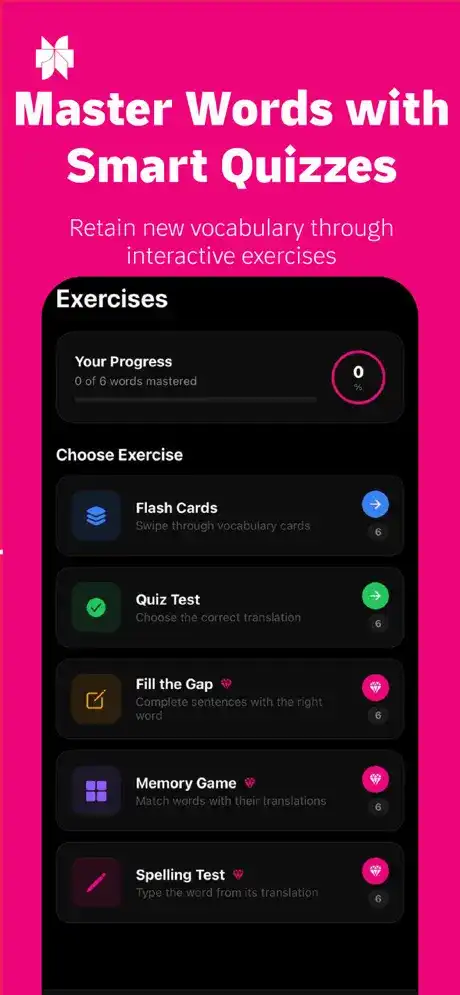
Interactive exercises can make language practice more engaging than simply reading a textbook. Elingo combines reading with learning activities that encourage users to actively process the English they encounter.
This can help maintain attention during short daily study sessions and turn language learning into a more consistent habit.
Pronunciation and Language Improvement
Reading and vocabulary are important, but English learners also benefit from developing better pronunciation and familiarity with natural English. Depending on the available content and version, Elingo may provide learning assistance that supports broader English-language development.
Using the app alongside listening and speaking practice can create a more balanced learning routine.
Progress-Oriented Learning
Keeping track of learning progress can encourage users to continue practicing. Elingo is intended to make repeated learning easier by giving users a structured environment for working through English content.
Rather than trying to study everything at once, users can build their skills through regular sessions and progressively more difficult material.
Simple Mobile Interface
A straightforward interface is especially useful in an educational app because learners can concentrate on the content instead of complicated controls. Elingo is designed for mobile use, making it convenient to open the app and practice English whenever there is free time.
The iPhone and iPad form factors also make it possible to use the app in different situations, from short vocabulary sessions to longer reading practice.
Functions and How to Use Elingo on iOS
How Elingo Works
After launching Elingo, users can select suitable English learning material and begin reading. As you encounter unfamiliar words or concepts, use the application’s available learning tools to improve your understanding.
A good routine is to start with a manageable amount of content rather than attempting a large lesson in one sitting. After completing a reading activity, review unfamiliar vocabulary and repeat difficult sections when necessary.
Main Functions
Elingo can be used for several common English-learning tasks:
- Reading English passages and learning materials.
- Practicing vocabulary through contextual examples.
- Improving reading comprehension.
- Reviewing unfamiliar words.
- Working through progressive learning material.
- Practicing English regularly through short sessions.
- Using an iPhone or iPad as a portable English-learning tool.
- Building a consistent reading and vocabulary routine.
Who Should Use Elingo?
Elingo can be useful for students, casual learners, travelers, professionals, and anyone who wants additional English-reading practice. Beginners can use it to become more familiar with basic English, while intermediate learners can use reading practice to strengthen vocabulary and comprehension.
It is especially suitable for people who prefer learning in short sessions instead of spending long periods with traditional study materials.
How to Download and Install Elingo on iPhone
If Elingo is available through Apple’s official App Store in your region, the safest installation method is to download it directly from there.
For an IPA file obtained from another source, installation is different because iOS normally does not allow arbitrary IPA files to be installed directly. You generally need a compatible sideloading method and a valid Apple account or signing arrangement.
A typical sideloading process involves:
- Obtain the compatible Elingo IPA file.
- Use a trusted iOS sideloading tool on a computer or supported device.
- Connect or pair your iPhone as required.
- Select the IPA and begin the installation.
- Complete any required Apple ID signing steps.
- Open Settings > General > VPN & Device Management if iOS asks you to trust a developer profile.
- Launch Elingo after installation and complete its initial setup.
Only use IPA files from sources you trust. Modified or unofficial IPA packages can contain unwanted software, outdated components, or other security risks.
How to Install Elingo on iPad
The basic process is similar on iPad. If the application is officially available for iPad, downloading it through the App Store is the preferred option.
For an IPA installation, use a compatible sideloading solution that supports your iPadOS version. After signing and installing the application, follow any on-screen trust or developer verification instructions before opening it.
Is Elingo Supported on the Latest iOS Versions?
Compatibility depends on the specific Elingo version and its developer requirements. iOS applications can change their minimum operating-system requirements with new releases, so you should check the application’s current App Store listing or the IPA’s stated requirements before installing it.
If you are using a recent iOS or iPadOS release, make sure the particular Elingo build you download is compatible. An older IPA may fail to install or work correctly on newer Apple operating systems.
Frequently Asked Questions
Is Elingo: Read & Learn English free?
Availability and pricing can vary by version and region. Check the current App Store listing for the latest information about free access, subscriptions, or in-app purchases.
What is Elingo used for?
Elingo is designed to help users improve English through reading and language-learning activities, with an emphasis on vocabulary and comprehension.
Can I use Elingo on iPhone?
Yes, Elingo is designed for iOS devices where the supported version is compatible with the installed operating system.
Can I install Elingo on iPad?
If the current version supports iPad, it can be used there. For IPA installation, you need a sideloading method compatible with your particular iPadOS version.
Does Elingo help improve English vocabulary?
Reading-based language learning can expose users to vocabulary in context, which can help them understand how English words are used in real sentences.
Is an Elingo IPA safe to install?
The safest option is the official App Store version. Unofficial IPA files should be treated cautiously because their contents and signing status may not be verified by Apple.
Does Elingo work offline?
Offline availability depends on the specific version and which learning materials have been downloaded or made available by the developer. Check the application’s current documentation or App Store information for confirmation.
Is Elingo good for beginners?
It can be useful for beginners who want structured English-reading practice, although the most suitable material depends on the learner’s current level.
Conclusion
Elingo: Read & Learn English IPA for iOS offers a mobile-focused approach to improving English through reading, vocabulary, comprehension, and regular practice. Its biggest advantage is the convenience of being able to study on an iPhone or iPad whenever you have a few spare minutes.
For the safest experience, use the official App Store release whenever possible and verify iOS/iPadOS compatibility before installing. With consistent practice, Elingo can become a useful part of a broader English-learning routine.