
Sleevi – Mobile Sleep Lab IPA for iOS is a sleep-tracking and wellness application designed to help users understand their sleeping habits, overnight body signals, and daily recovery. By analyzing health information collected through Apple Health and a compatible Apple Watch, Sleevi turns complex measurements into easy-to-understand scores, charts, and personalized insights.
The app is designed for people who want to improve their sleep routines, monitor their recovery, and understand how everyday habits affect their energy levels. It offers sleep statistics, recovery analysis, bedtime planning, habit tracking, widgets, and health reports. Sleevi is available for iPhone, iPad, and Apple Watch, with a free download and optional in-app purchases.
Sleevi IPA Features and Functions
Sleep Tracking and Sleep Quality Analysis
Sleevi helps users understand their sleep duration, sleep stages, and overall sleep quality. Instead of looking at sleeping hours alone, the app brings several available health measurements together to provide a broader picture of overnight recovery.
Users can review their sleep history, examine changes between nights, and identify patterns that may be connected to their daily routines. These insights can help users understand whether they are maintaining a consistent sleep schedule or regularly missing their sleep needs.
Recovery Score and Readiness Score
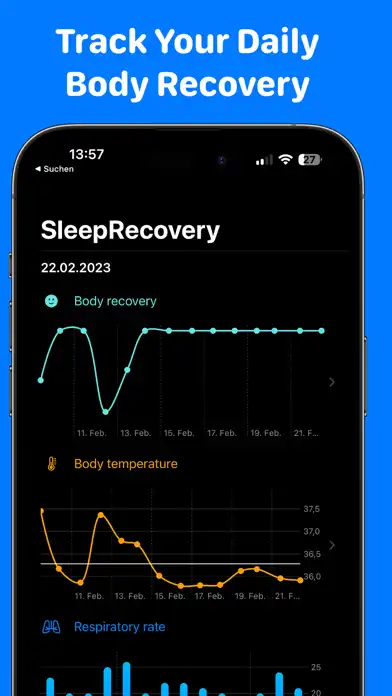
One of Sleevi’s main features is its ability to summarize overnight health signals through three dashboard indicators: Recovery, Sleep, and Readiness.
- Recovery Score: A score from 0 to 100 that summarizes recovery-related measurements against the user’s personal baseline.
- Sleep Score: A score from 0 to 100 that helps users understand their night’s sleep.
- Readiness Score: A score from 0 to 10 that provides an indication of how prepared the user may be for the day.
These scores make it easier to understand sleep and recovery without interpreting every measurement individually. Users can also open detailed breakdowns to learn which factors influenced their results.
Heart Rate and Heart Rate Variability Monitoring
Sleevi uses available Apple Health measurements, including resting heart rate, overnight heart rate, and heart rate variability (HRV). HRV describes variations in the time between heartbeats and can provide useful context about physiological recovery.
Reviewing these measurements over time may help users recognize changes associated with exercise, stress, irregular sleep, or other lifestyle factors. Results depend on the data recorded by the user’s compatible devices.
Respiratory Rate, Wrist Temperature, and Blood Oxygen
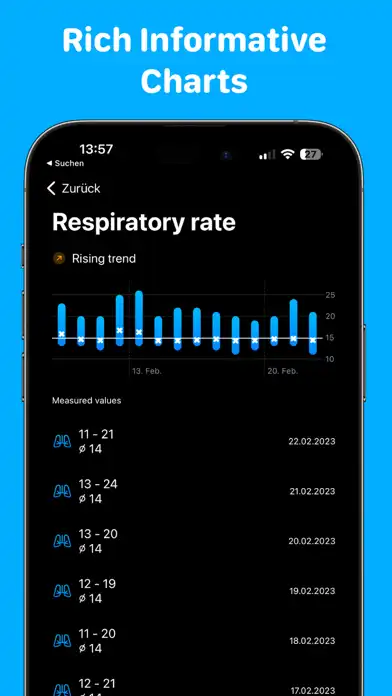
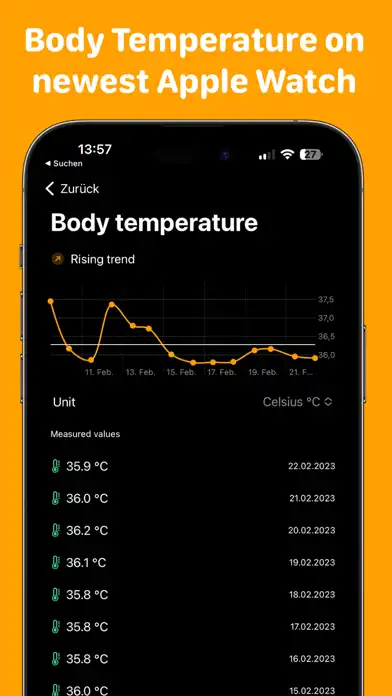
The app can incorporate additional health measurements when compatible hardware and Apple Health provide them. These include respiratory rate, sleeping wrist temperature, blood oxygen, and available breathing-disturbance information.
Looking at these measurements together may help users recognize when their overnight patterns differ from their normal range. However, the app’s scores and alerts are wellness insights, not medical diagnoses.
Sleep Stages, Sleep Debt, and Naps
Sleevi provides tools for reviewing available sleep-stage information and understanding changes in sleep duration. It also helps users examine sleep debt and naps as part of their broader sleep history.
These features can be useful for people who have changing schedules, work late, or want to develop more consistent sleeping habits.
Personalized Health Insights
Rather than relying only on general population averages, Sleevi compares relevant measurements with the user’s personal baseline. This approach helps put nightly changes into context.
The app can generate morning insights based on recorded data and provide suggestions for the day. Supported devices may use on-device Apple Intelligence for generating these summaries, while a rule-based alternative can be used when that model is unavailable.
Bedtime Planning and Daily Habits
Sleevi can estimate a suitable bedtime using the user’s sleep needs and planned wake-up time. Users can also use a calendar event as a reference for when they need to get up.
The app provides gentle reminders to begin winding down, prepare for bed, and go to sleep. It can also identify when available heart-rate and HRV measurements move closer to typical nighttime levels.
Habit Tracking and Long-Term Statistics
The Habits feature allows users to tag factors that may have influenced a particular night, such as a late meal, alcohol, illness, or other personal circumstances.
Over time, users can compare their tagged nights with sleep and recovery results. This makes it easier to investigate possible relationships between everyday choices and sleep quality without assuming that every correlation proves cause and effect.
Widgets, Apple Watch, and iPad Support
Sleevi includes Home Screen and Lock Screen widgets that make important sleep and recovery information accessible without opening the full app. Its Apple Watch app and watch complications provide convenient access to supported measurements and scores.
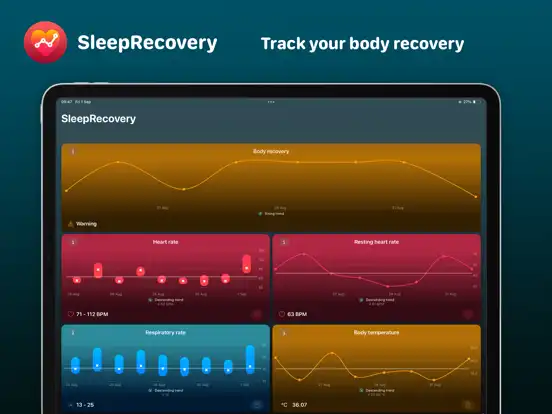
The iPad version offers a dashboard-style layout, including two-column cards on supported screen sizes. Landscape support makes the interface more flexible for users who prefer viewing their statistics horizontally.
Printable Health Reports
Users can generate a printable PDF report covering the last 30 days. The report can include averages, personal-range comparisons, trend charts, and a night-by-night summary.
This can help users organize their observations before discussing sleep concerns with a healthcare professional. The report should be treated as supporting information rather than a substitute for clinical assessment.
How to Install Sleevi IPA on iPhone and iPad
Method 1: Install from the Official App Store
The simplest option is to download the official Sleevi application. This avoids the extra verification and compatibility issues that can accompany unofficial IPA files.
- Open the App Store on your iPhone or iPad.
- Search for Sleevi – Mobile Sleep Lab.
- Check the developer information and app details.
- Tap Get and authenticate if requested.
- Wait for the installation to finish, then open the app.
- Follow the setup instructions and grant only the health permissions you want to use.
- If you have an Apple Watch, ensure its sleep and health measurements are available through Apple Health.
Method 2: Installing an IPA File
If you specifically want to install an IPA file, first verify its source, authenticity, and compatibility. A downloaded IPA does not automatically mean that the file is genuine or safe.
- Obtain the IPA from a source you trust and have permission to use.
- Confirm that the file is intended for your device and iOS version.
- Use a compatible, reputable sideloading tool and follow its documented installation instructions.
- Complete any required signing or device-trust steps.
- Open the app and check whether it functions correctly.
Unofficial IPA installations may fail because of expired signatures, incompatible builds, revoked certificates, or missing entitlements. Avoid unknown profiles and websites that request unnecessary personal information.
Is Sleevi Supported on the Latest iOS Versions?
The App Store listing specifies iOS 17.0 or later for iPhone and iPadOS 17.0 or later for iPad. This establishes the listed minimum requirement, but it does not guarantee that every unofficial IPA build will work on every newer operating-system release.
For the best experience, check the current App Store listing and install the latest official version compatible with your device. Apple Watch features also require a compatible watch and supported watchOS version.
Frequently Asked Questions About Sleevi IPA for iOS
Is Sleevi free to download?
Yes. Sleevi is listed as a free app with optional in-app purchases. Some features or extended access may require a premium subscription or lifetime purchase.
Does Sleevi require an Apple Watch?
Its main sleep-analysis features rely on health data available through Apple Health. An Apple Watch is important for many of its overnight measurements, so the amount of information available may be limited without compatible recorded data.
Can I use Sleevi on an iPad?
Yes. The App Store lists iPad support with a dedicated dashboard layout. The device must meet the listed iPadOS requirement.
Does Sleevi detect illnesses?
Sleevi can flag patterns in overnight measurements that may be associated with changes in health. These alerts are not diagnoses and cannot confirm that a person has an illness.
Is Sleevi IPA safe to install?
Safety depends on the source and integrity of the IPA file. Downloading the official App Store version is generally the safer choice because an unofficial file may have been modified or improperly signed.
Does Sleevi support the newest iOS version?
The published minimum is iOS 17.0 or later. For confirmation of compatibility with a particular newer release, check the current App Store listing and the developer’s latest update information.
Can Sleevi help improve sleep quality?
It can help users identify patterns, review sleep duration, and experiment with bedtime routines. Better sleep may require consistent habits and, when appropriate, professional medical advice.
Conclusion
Sleevi – Mobile Sleep Lab IPA for iOS is a useful option for users who want a clearer picture of their sleep, recovery, and daily readiness. Its personalized scores, health-data analysis, bedtime planning, habit tracking, widgets, and printable reports make it more comprehensive than a simple sleep-duration tracker.
For the most reliable experience, install the official App Store version, use compatible devices, and review its health permissions before setup. Remember that Sleevi provides wellness information rather than medical diagnoses, and its insights are most useful when considered alongside your own habits and professional advice when needed.